One window instead of Outlook, Teams and OneNote.
Microsoft 365 is many apps. Mailify brings email, team chat, calendar, tasks and notes into one place, made for small and medium-sized businesses.
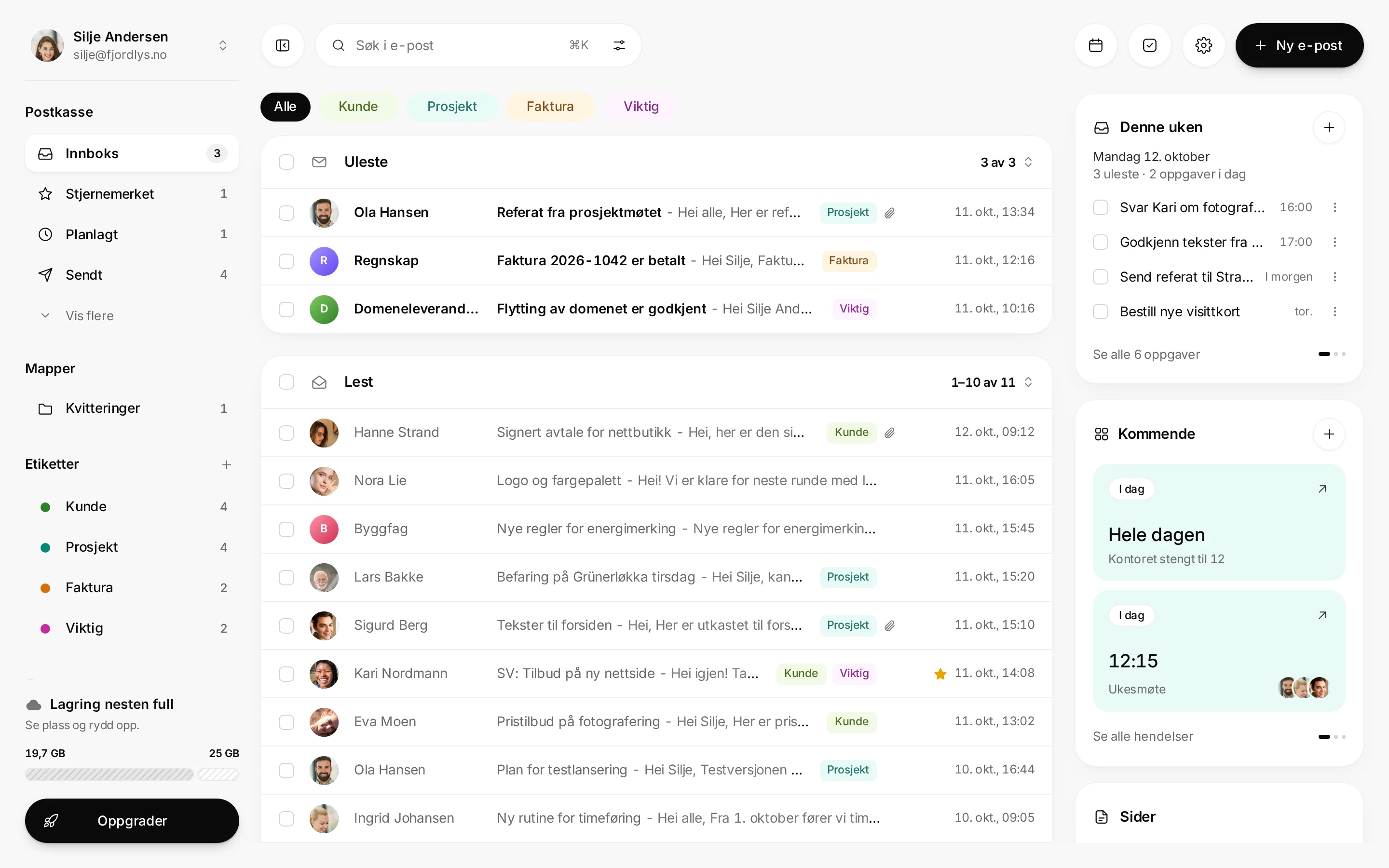
Why teams switch
One app, not five
No jumping between Outlook, Teams, OneNote and To Do. Everything is in one window.
Undo for 120 seconds
Outlook gives you ten seconds. Mailify gives you two minutes, even if the tab closes.
Norwegian provider
Made and run in Norway, with real support when you need help.
Mailify and Outlook side by side
| Feature | Mailify | Outlook |
|---|---|---|
| Email on your own domain | Yes | Yes |
| Undo send | Up to 120 s | Up to 10 s |
| Scheduled send | Yes | Yes |
| Team chat | In the same app | Teams, a separate app |
| Notes and boards | In the same app | OneNote and Planner, separate apps |
| Turn email into a task | Yes | Via To Do |
| Data stored in Norway | Yes | Can be stored in Norway |
| Norwegian provider | Yes | No |
This comparison is based on public information as of October 2026. The names belong to their owners, and Mailify is not affiliated with them.
When is Outlook the better fit?
If you need Word, Excel and Teams meetings every day, Microsoft 365 gives you more in one bundle. Mailify suits teams who want one simple, fast workspace for email, chat and planning. You can still paste a Teams link into a meeting.
How to switch
- 01
Connect your domain
We help you connect your domain to Mailify with a few DNS records.
- 02
Bring your email
We help you move your email from Microsoft 365, so your history comes with you.
- 03
Switch over
When everything is ready, your domain points to Mailify and new email arrives there.
Questions and answers
Can I still use Word and Excel?
Yes. Mailify replaces email, chat, calendar and notes. You make documents in Office as before, and send them as attachments.
Can I use the Outlook app with Mailify?
Yes. With an app password you can connect Outlook and other mail apps to Mailify. Groups and Pages are in the Mailify app.
What about Teams meetings?
Paste a Teams, Meet or Zoom link into the meeting in your calendar, so it's there when the meeting starts.
One app for the whole team.
Email, Groups, Calendar, Tasks and Pages, at one price.