Features
All in one app.
Email, chat, calendar, tasks and notes that work together. Here's what Mailify can do.
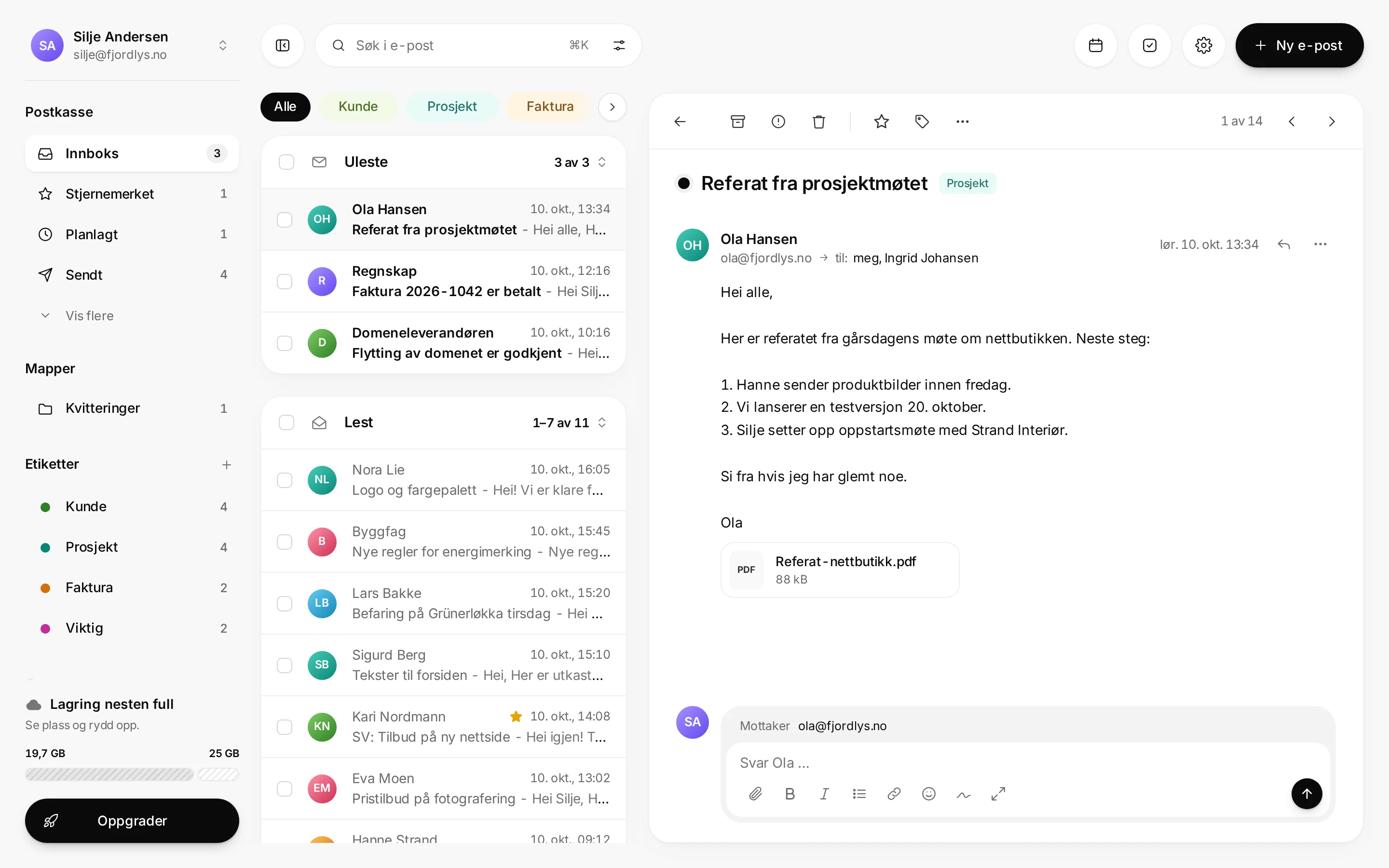
Unread first
Your inbox is split into Unread and Read, so you see what's new.
Threads
The whole conversation together, or one email at a time. Your choice.
Labels and folders
Coloured labels like Client, Project and Invoice, and your own folders.
Stars and pins
Mark what matters, and pin up to ten emails to the top.
Several mailboxes
Switch between your addresses in the same app.
Signatures
Make your own, or start from a ready-made template.
Block a sender
Block a sender and stop their email reaching you.
Vacation mode
An automatic reply while you're away, with a start and an end.
Offline
Read and write without a connection. It's sent when you're back online.
Sending
Undo send
Up to 120 seconds, even if you close the tab. «Undone» always means undone.
Scheduled send
Tomorrow 08:00, Monday or any time you pick. Sent by our server.
Scheduled folder
Everything waiting, in one place. Change or cancel with one click.
Opened
See whether and how many times an email was opened. Can be turned off.
Follow up
Get a reminder if no reply has come by a day you choose.
Snooze
Push an email to later. It comes back to the top when it suits you.
Groups
Channels
One channel per topic, project or client. Open, or members only.
Direct messages
Talk to one colleague without sending an email.
Mentions and threads
@mention someone, and reply in a thread to keep the channel tidy.
Invitations
Invite other Mailify users by their address, in any company. They join when they accept.
Pinned and files
The important things pinned on top, and every shared file in one place.
Notifications you control
Mute a channel, or only get notified when someone mentions you.
Calendar and tasks
Day, week and month
With week numbers, the way we're used to in Norway.
Upcoming
Today's and tomorrow's meetings beside your inbox.
Meeting links
Paste a Teams, Meet or Zoom link into the meeting.
Tasks from email
Turn an email into a task with a due date and a reminder.
This week
The week's tasks and upcoming meetings beside your inbox.
Reminders that arrive
Reminders and scheduled emails go out on time, exactly once.
Pages
Personal
Your own pages, just for you.
Lists and boards
Checklists, notes and boards for what needs doing.
Write freely
Press / for headings, lists, tasks and more.
Security and privacy
Data in Norway
Email, files and backups are stored in Norway.
Encrypted everywhere
On every connection and every disk, with separate keys per company.
Passkeys and 2FA
Sign in with a passkey or a code, and let your company require it.
App passwords
For mail apps on phone and desktop, named and revocable.
Sign out everywhere
See where you're signed in, and sign out every device at once.
Spam and phishing
Filtered before it reaches your inbox, and the filter learns from what you report.
Look and workflow
Four themes
Light, Dark, Mixed and Purple Rain. Or follow your system.
⌘K for everything
Search, actions, people and groups from one line.
Instant search
Results appear as you type, even offline.
Desktop and phone
Install from the browser on iPhone, Android, Mac and Windows.
Norwegian and English
Built in Norwegian from day one, and in English.
Company admin
Users and roles for your company.